
This procedure applied only to feeds generated through the PowerPress plugin. If you’re using Blubrry Publisher or Vid2Pod, see this article.
Once your podcast is set up, your podcast RSS feed mostly works in the background to ensure your show is delivered to your audience. Still, it can be good to know where your podcast RSS feed is, especially if you need to submit your show to a new podcast syndication platform.
Locating your podcast RSS feed URL is crucial for distributing your show to directories like Apple Podcasts, Spotify, and others.
By default, PowerPress generates a podcast RSS feed under your domain at example.com/feed/podcast/. Just substitute your website’s domain for example.com. You can check this by logging in to your WordPress site and clicking the Settings link inside the PowerPress menu.
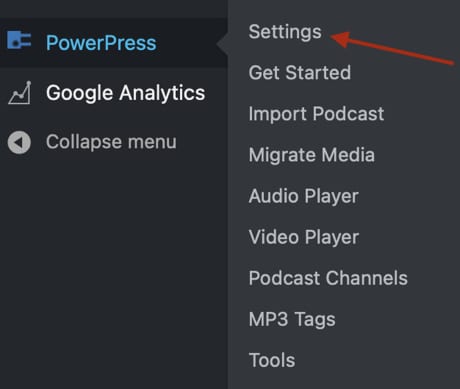
Click the Feeds tab. Your PowerPress podcast RSS feed URL will be found under the Podcast Feeds header.
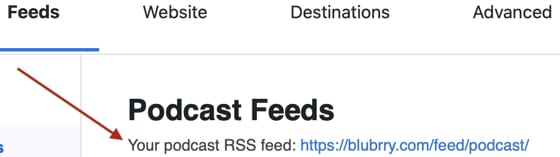
Note: the PowerPress feed URL in the above screenshot is for a specific show. All show’s have unique PowerPress feed URLs, usually based on a show’s website URL. The feed URL in the above screenshot is not the feed URL for your show specifically.
Comments
0 comments
Article is closed for comments.